Heavy Equipment Tracking Devices: How to Choose
Equipment tracking looks simple until the fleet is mixed. An excavator, a towed compressor and a portable generator may need different device classes, so power, mounting, interfaces and the platform path should be checked before a rollout.
Discuss your equipment projectStart with the decision
Key decisions for equipment tracking hardware
Start with the machine and the job
Excavators, towed compressors and portable generators create different tracking problems and device-class decisions.
Make power and placement part of the specification
Confirm permanent power, mounting position, enclosure and site conditions before choosing wired or battery hardware.
Confirm the fields the machine exposes
CAN/J1939, ignition, serial and sensor values only help when the machine exposes them and the platform maps each field correctly.
Define what the office needs to see
Location, work hours, recovery alerts, maintenance triggers and machine data lead to different hardware requirements.
Validate on the machine, not at a desk
Use the same machine class, power tap, mounting position and platform path as the wider order.
Before comparing models, be clear which problem you are buying for. The four cases below need different hardware, and buying the wrong class is what turns a tracking project into a half-finished one.
Do you actually need a tracking device on this machine?
Knowing where a machine actually is
On multi-site operations, machines move between jobs without paperwork keeping up. Time spent locating a compressor or a light tower is time nobody bills. Location alone solves this, and it is the cheapest device class to buy.
Recording work hours you can defend
Rental billing, service intervals and utilisation reviews all rest on hours. Operator-reported hours and machine hours frequently disagree. Reading hours from the machine — where the machine exposes them — turns an argument into a record.
Recovery after theft
A tracker does not prevent theft, but a movement alert outside working hours plus a last-known position can add evidence for an authorised response when alert delivery and the response workflow are tested. Insurance requirements vary by policy and market; confirm them with the relevant insurer.
Maintenance triggered by use, not by calendar
Servicing on elapsed months over-services idle machines and under-services busy ones. Hours and activity data let the schedule follow actual use.
If all you need is where is it, do not buy a machine-data device. It costs more, takes longer to install, and needs an interface the machine may not expose.
How equipment trackers work
A machine tracker is four things in one box: a positioning receiver, a cellular modem, a power circuit and — on some models — an interface that talks to the machine itself.
- Position is acquired. The unit fixes its position from satellite constellations. Accuracy degrades in quarries, under canopy and inside structures, which is why enclosure and antenna position matter as much as the chipset.
- Machine state is read. Ignition or a digital input tells the device whether the machine is running. On compatible machines, a CAN/J1939 or RS232/485 connection can add engine hours, fault codes and other exposed parameters.
- Data is packaged and sent. The device batches readings and transmits over cellular on an interval, on an event, or both. Those rules determine data volume, SIM cost and — on battery units — how long it lasts.
- The platform interprets it. Raw position and state become geofence alerts, utilisation reports and service triggers only after the platform maps each field correctly. This mapping step is where most integration problems appear.
For construction plant specifically — where the unit goes on an excavator, why sky view is harder, and how site conditions change the specification — see how plant machinery trackers work.

What to confirm before choosing equipment hardware
Six checks decide whether the device survives site conditions and returns the data the project needs.
| Check | What to establish | If you get it wrong |
|---|---|---|
| Power source | Whether the asset has permanent power, the voltage range across the fleet, and which assets are unpowered. | A wrong power assumption can make a wired unit unsuitable for a towed attachment. |
| Network coverage | Cellular generation and band support for the sites the machines work on, plus that market's shutdown roadmap. | Machines report at the depot and go silent on site — precisely where the data mattered. |
| Interface | What the machine actually exposes: CAN/J1939, RS232/485, digital or analogue inputs — model by model, not brand by brand. | You pay for machine-data capability that has nothing to connect to. |
| Enclosure | Ingress rating, vibration tolerance, temperature range, and whether the machine is washed down. | Unverified ingress protection or vibration tolerance can lead to faults after installation; check the intended exposure before rollout. |
| Mounting position | Away from heat and moving parts, antenna with sky view, and not somewhere a thief checks first. | Intermittent fixes that look like a hardware fault but are an installation fault. |
| Reporting strategy | Interval under motion, at rest and on event — decided per asset class rather than left at factory default. | Either an unexpected data bill, or a battery unit that dies before the season ends. |
For equipment, comparison usually starts from three device classes: a wired gateway with CAN/J1939 where hours and machine state matter (A300); an outdoor IP67 unit for exposed plant and generators (A700); and a battery unit for towed attachments and portable assets (GT76).
Start with the device class the machine actually needs.
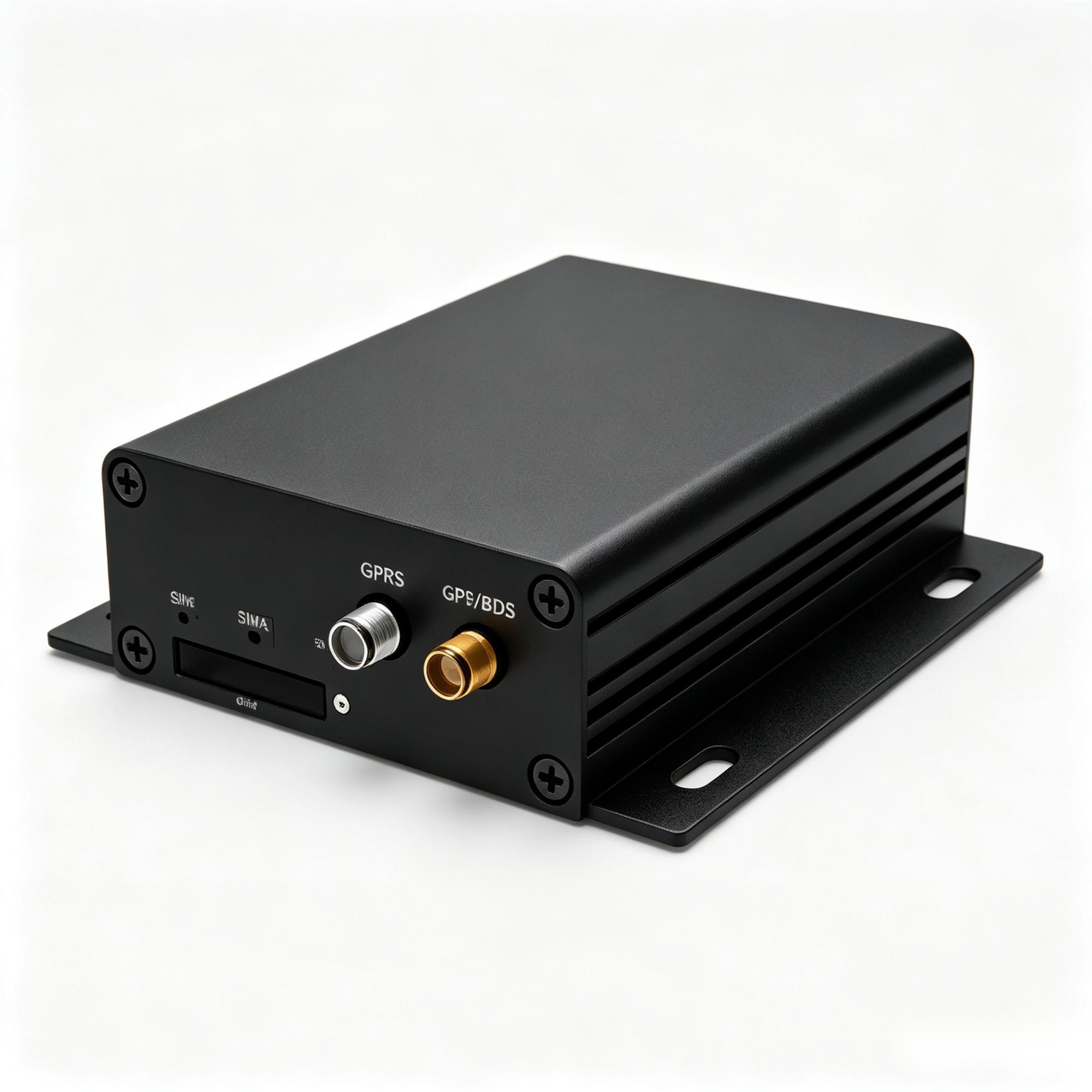
A300
Wired gateway where CAN/J1939 engine data is the point.
Explore A300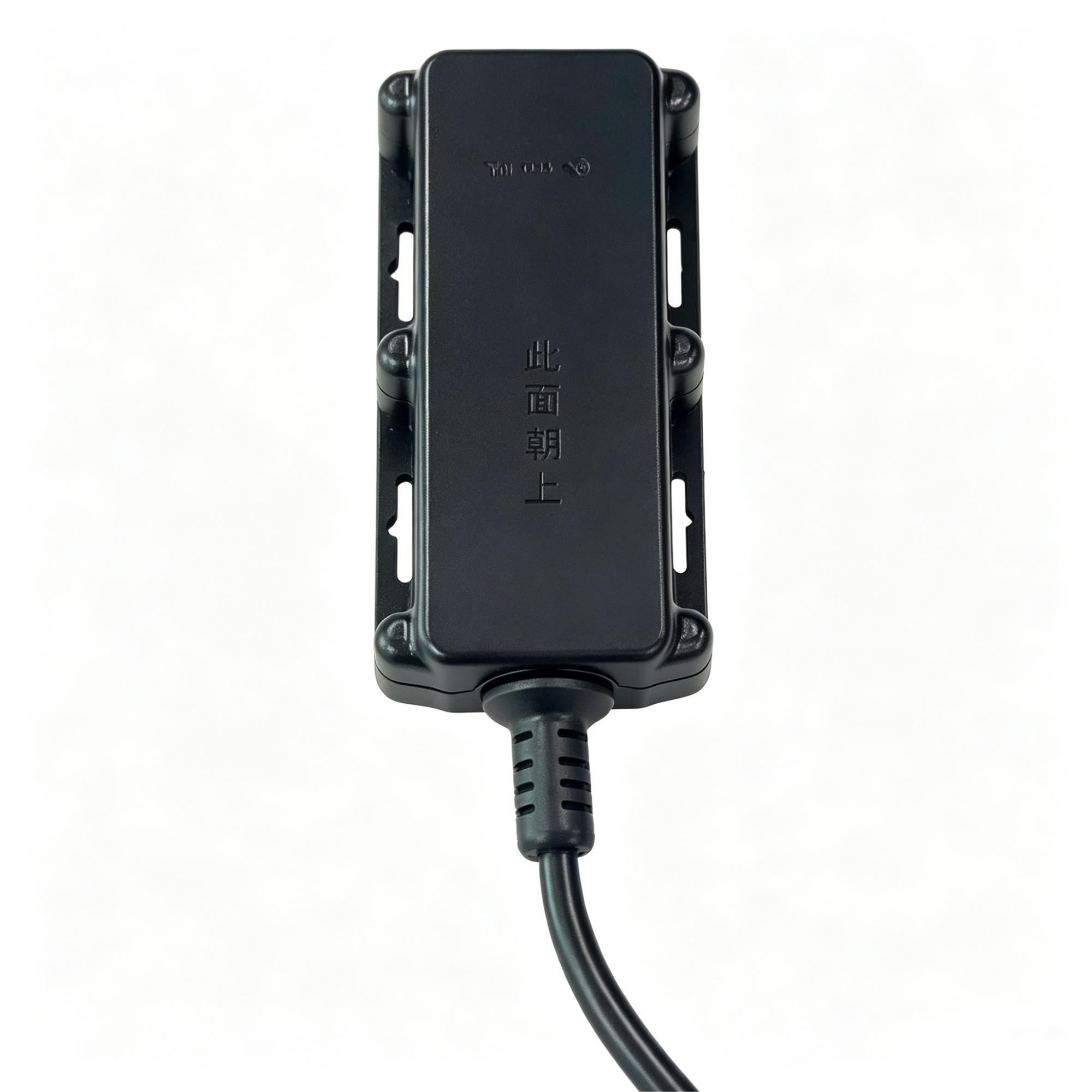
A700
Outdoor unit for exposed powered plant and equipment.
Explore A700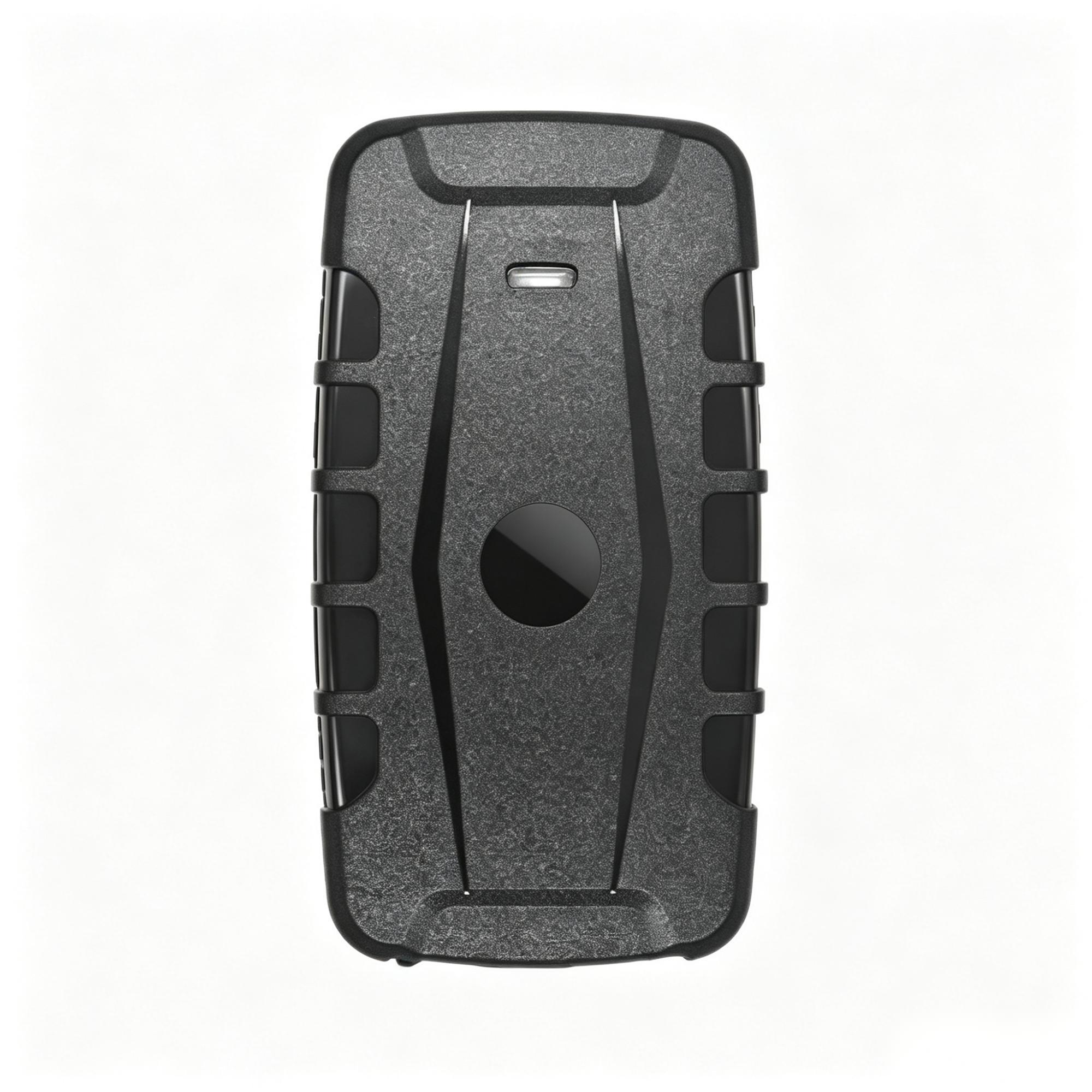
GT76
Battery unit for towed attachments and portable assets.
Explore GT76What you can actually get from a machine
What a tracker can report depends on what the machine exposes and what the device can read. This is the honest version of the capability list.
| Data point | How it is obtained | What it requires |
|---|---|---|
| Position & movement | Satellite fix from the device itself. | Any device class. Antenna needs sky view. |
| Running / idle | Ignition sense or a digital input wired to a switched supply. | Wired install and an accessible switched circuit. |
| Engine hours | Read from the machine over CAN/J1939, or approximated from run time. | Machine must expose the parameter; otherwise the figure is an estimate, not a reading. |
| Fuel level | External sensor, or CAN where the machine publishes it. | Sensor installation and calibration, or a compatible bus. |
| Temperature | External probe on a supported input. | Compatible terminal plus the sensor. |
| Fault codes | CAN/J1939 diagnostic messages. | Machine and device support, plus platform-side decoding. |
The row that causes the most disappointment is engine hours. True engine hours require a verified machine or source interface and platform mapping. If an agreed power or ignition signal is available and configured, a tracker may report powered-on time; without that verified source, hours may be unavailable. Confirm this per machine model before promising the figure to anyone.
When you should buy a platform instead of sourcing hardware
Search for a heavy equipment tracking device and the first page is almost entirely platforms — Samsara, Geotab, Verizon Connect, Teletrac Navman — plus consumer trackers sold on marketplaces. Very little of it tells you which of those two you should actually be buying. That decision comes before any hardware comparison, so it is worth making it honestly, including the cases where we are the wrong call.
| Your situation | Buy a platform | Source hardware |
|---|---|---|
| A small fleet with nobody to own the integration | Yes — one vendor, one bill, one dashboard | No |
| You need compliance features out of the box (ELD, tachograph) | Yes | No |
| An insurer or client names an approved system | Yes — the approval is the requirement | No |
| You already run a platform and need devices that speak to it | No | Yes — protocol fit is the whole job |
| You need a form factor nobody sells off the shelf | No | Yes — unpowered assets, specific enclosure or mounting |
| You are reselling or white-labelling under your own brand | No | Yes — OEM/ODM |
| Volume from roughly 100 units | Depends | Yes — this is where per-unit cost starts to matter |
We do not sell software. If what you need is a single dashboard, a support line and a monthly invoice, a platform is the better purchase and you should stop reading here. Sourcing makes sense once the constraint has moved from "we need visibility" to "we need a device that survives this environment, reports on this power budget, and speaks to the system we already run."
The short version: a platform sells you an answer. Sourcing hardware only pays off once you already know the question — the power situation, the protocol, the enclosure and the volume.
The three questions buyers actually ask first
Forum threads about heavy equipment tracking devices circle the same three points, and product pages tend to skip all of them.
Where does the unit go?
On owned plant, inside a service compartment is usually right: protected from washdown and impact, out of sight, and close to a switched supply. On hired-in plant, nothing gets wired — a self-contained battery unit placed where it is not obvious, with the hire company's agreement. The mounting decision drives the hardware choice more often than the feature list does.
How long does the battery last?
Longer than any single number suggests, because it is a trade against reporting frequency rather than a fixed figure. A unit reporting position once a day on a parked machine and one reporting every two minutes while it works are the same device with completely different lifespans. Quoted battery figures are manufacturer stated values tied to a stated reporting profile — ask which profile a number assumes before comparing two devices, and confirm it against your own duty cycle during the sample stage.
What happens where there is no signal?
Quarries, basements, steel containers and remote sites can interrupt GNSS fixes, cellular upload, or both. Store-and-forward may upload positions successfully acquired during a cellular-only interruption; it cannot reconstruct locations the device never fixed. Confirm the two behaviours separately per model; store-and-forward is not universal.
Test on the machine, not on a desk
A sample that powers on has proved almost nothing about how it behaves on a vibrating machine after a week of intermittent signal. Four things to check:
- Install where it will really go — same machine class, same mounting position, same power tap the installer will use in production.
- Confirm the fields, not the connection — check that hours, ignition and sensor values arrive with correct units, not just that the device shows online.
- Point it at your own server — where the model supports it, confirm the data reaches the platform you intend to run.
- Leave it running for days — reconnection after signal loss and standby drain only show up over time.
Radio, safety and telecom marks are issued by the manufacturer for a specific model and variant. Certification documents are available for selected models, and exact coverage is confirmed against the destination market before order. We do not represent one certificate as covering an entire catalogue.
Before you contact anyone
The tracker selection check walks through the six checks above, the data usage calculator estimates cellular volume from reporting interval, and the blank field confirmation sheet records what each machine needs. All three are free and usable with any supplier, including ours.
Related on this site: choosing a tracking system for construction sites covers multi-site rollout, owned versus hired plant and permissions.

Frequently asked questions
Should I buy a tracking platform or source the hardware?
If nobody owns the integration and the operation needs one managed dashboard, a platform may be the better purchase. Sourcing fits projects that already run a platform, need devices that fit it, need a form factor nobody sells off the shelf, or have a defined hardware requirement. We do not sell software.
How long does a battery-powered equipment tracker last?
It depends on reporting frequency rather than being a fixed figure. Quoted runtimes are manufacturer stated values tied to a stated reporting profile, so ask which profile a number assumes before comparing devices, and confirm it against your own duty cycle during the sample stage.
Why do you need a GPS tracker for heavy equipment?
Typical project questions include locating machines across sites, recording work hours for billing or servicing, supporting recovery after theft, and triggering maintenance from actual use. Which question you are solving helps determine the device class.
How do equipment trackers work?
The device fixes its position from satellite signals, reads machine state from an ignition input or — on compatible machines — from a CAN/J1939 or serial connection, then transmits over cellular on an interval or on an event. The platform turns those readings into alerts, utilisation and service triggers once each field is mapped correctly.
Can a tracker read engine hours from any machine?
No. Reading true engine hours requires a verified machine or source interface and platform mapping. If an agreed power or ignition signal is available and configured, a tracker may report powered-on time; without that verified source, hours may be unavailable.
What about attachments and towed equipment with no power?
Those need a battery device rather than a wired one. The trade-off is reporting frequency against standby life, which should be set per asset class rather than left at a default.
Will one model work across my whole fleet?
It depends on the power, mounting, interfaces, environment and platform path of each asset. A mixed fleet may need different device classes; validate representative asset types before standardising.
What is the minimum order quantity?
Custom orders start from 100 units. Samples and small validation batches are handled separately, so testing on your machines does not require a production commitment.
How long is the lead time?
Confirmed by model, configuration and order quantity. A configured order and a stock item are not the same lead time, so we do not publish a single figure.
What warranty applies?
A 12-month limited warranty from the shipment date shown on the commercial invoice — a date both sides can verify from the same document.
Can the devices report to our existing platform?
Where the model supports it, devices may report to the existing platform. Confirm the receiver, permissions, field mapping and project responsibilities per model before you commit.
Do you supply certification documents?
Certification documents are available for selected models. Which marks apply is confirmed for the specific model and destination market at order time.